How to Set Certificate Printing Size
Your student can adjust the size and orientation of their certificate when they go to print it.
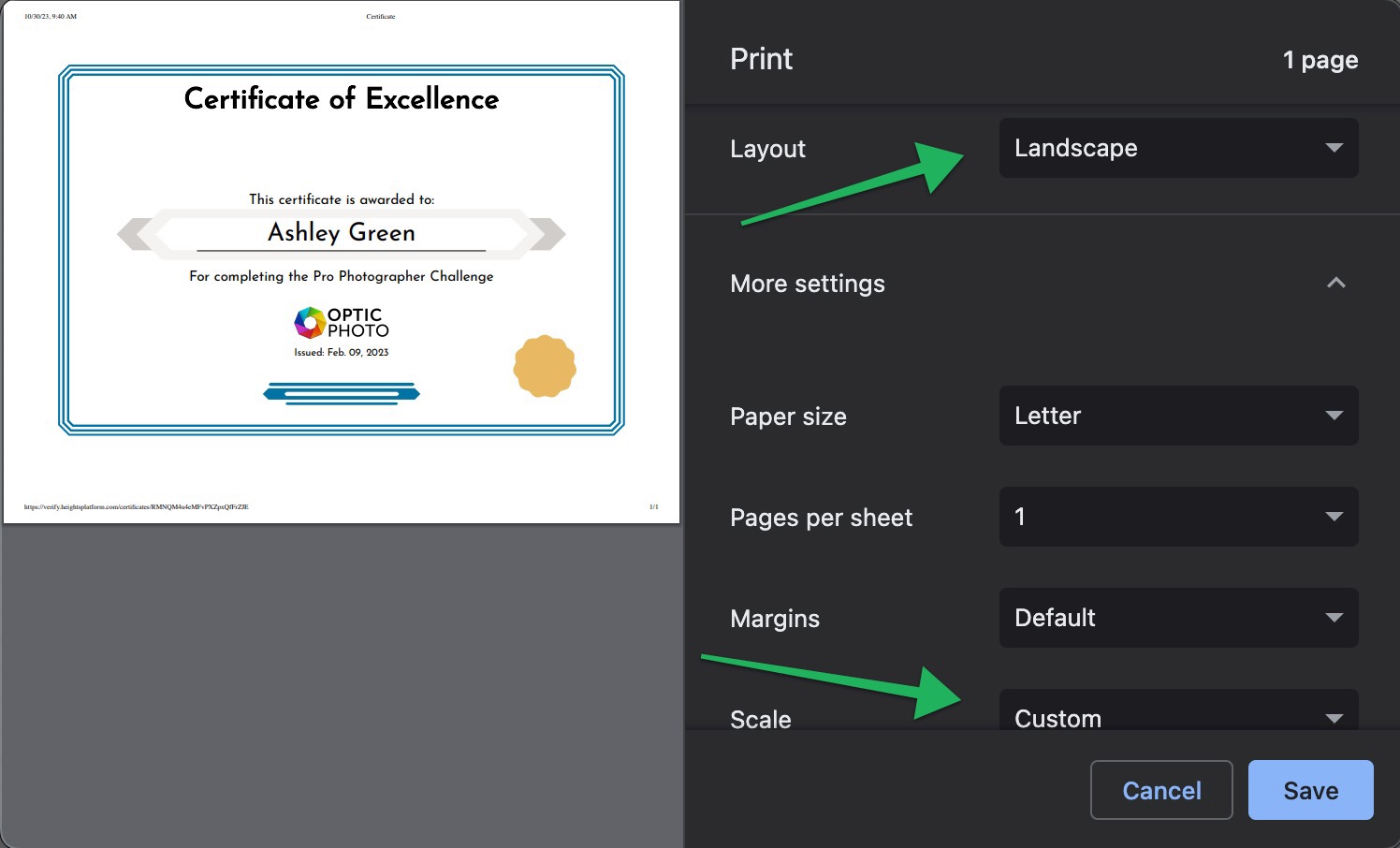
You can recommend to them that they change the orientation to "landscape", and if they want it to be large on the page, they could also change the scale to "custom".
A scale of "122" for the custom scale seems to fill the whole page for most printers on a standard 8.5"x11" paper if that is what your student prefers.
Here's a screenshot example:
If you aren't already using Heights Platform to design and issue certificates for your learners, start today and get the ability to automaticlly issue certificates for course completions, bulk issuance, and public certificate pages where Heights Platform acts as a third-party verifier.